1
YouTube & Local Video Input
Use a YouTube link or local video file without switching tools.
Turn long videos into upload-ready short clips with one clear workflow: add a source, analyze the transcript, select highlights, render clips, burn subtitles, and prepare publication.
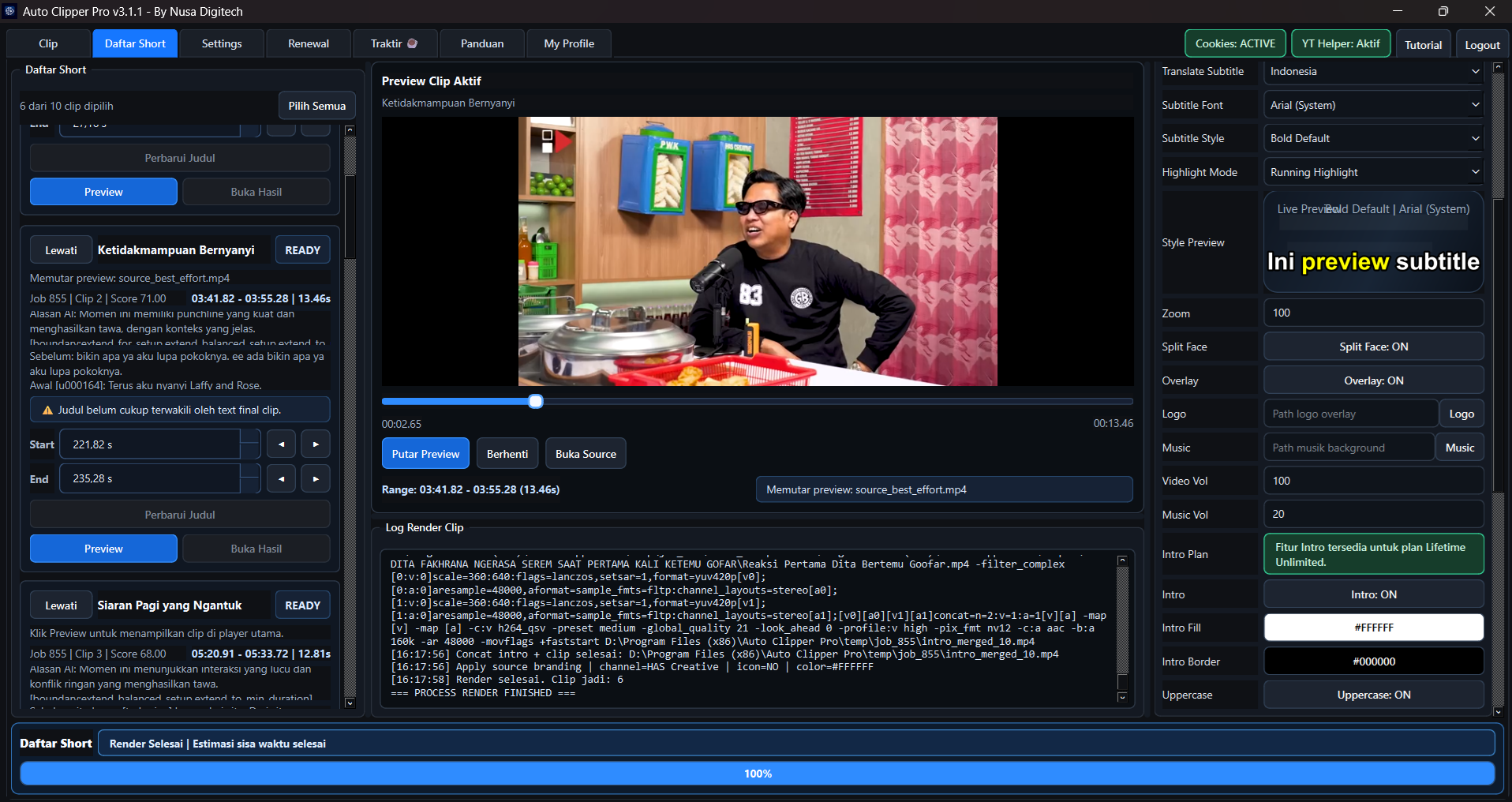
Focus on the steps that usually take the most time in a short-form video workflow.
Use a YouTube link or local video file without switching tools.
Identify the moments most suitable for short-form content.
Prepare output for Shorts, Reels, TikTok, or horizontal formats.
Prepare subtitles, titles, and metadata in the same workflow.
Streamline uploads and scheduling for recurring work.
Publish Reels through a connected Instagram account.
Keep faces in frame so portrait clips remain comfortable to watch.
Break long videos into multiple parts more efficiently.
Process multiple videos without repeating the same manual steps.
Create title voice intros in Original, Indonesian, or English.
Translate subtitles to expand your content reach.
Built for creators and small teams that need a practical workflow while keeping control of the final result.
Reduce manual work from finding highlights to preparing final renders.
Use a repeatable process so every result is easier to evaluate.
Suitable for individual creators and teams processing a larger content volume.
The demo covers the workflow from source input and AI analysis to clips ready for use.
Choose the app for your device. The Android version is currently in beta.
Examples of vertical 9:16 videos prepared for YouTube Shorts, Instagram Reels, or TikTok.
Start with a lightweight plan or choose a recurring plan for a more demanding workflow.
Clear answers about the workflow, trial, output formats, and platforms supported by AutoClipper Pro.
AutoClipper Pro is an AI video clipper that helps creators turn long videos into short-form content through transcript analysis, highlight selection, subtitles, rendering, and a publishing workflow.
Add a YouTube link or local video, run AI transcript analysis, review relevant highlights, then prepare portrait or landscape renders with subtitles and metadata.
Yes. The Trial plan includes 10 video analyses for one device and does not require a credit card.
AutoClipper Pro supports portrait output for YouTube Shorts, Instagram Reels, and TikTok, plus landscape output for horizontal video.
AutoClipper Pro provides a YouTube auto-upload workflow and Instagram Reels publishing for connected accounts, depending on your configuration and plan.
The primary app is available for Windows. An Android version is also available in beta.
Choose the right plan, start faster, and reduce repetitive manual work.
View Plans